
搜索到
56
篇与
的结果
-

-
-
-
-
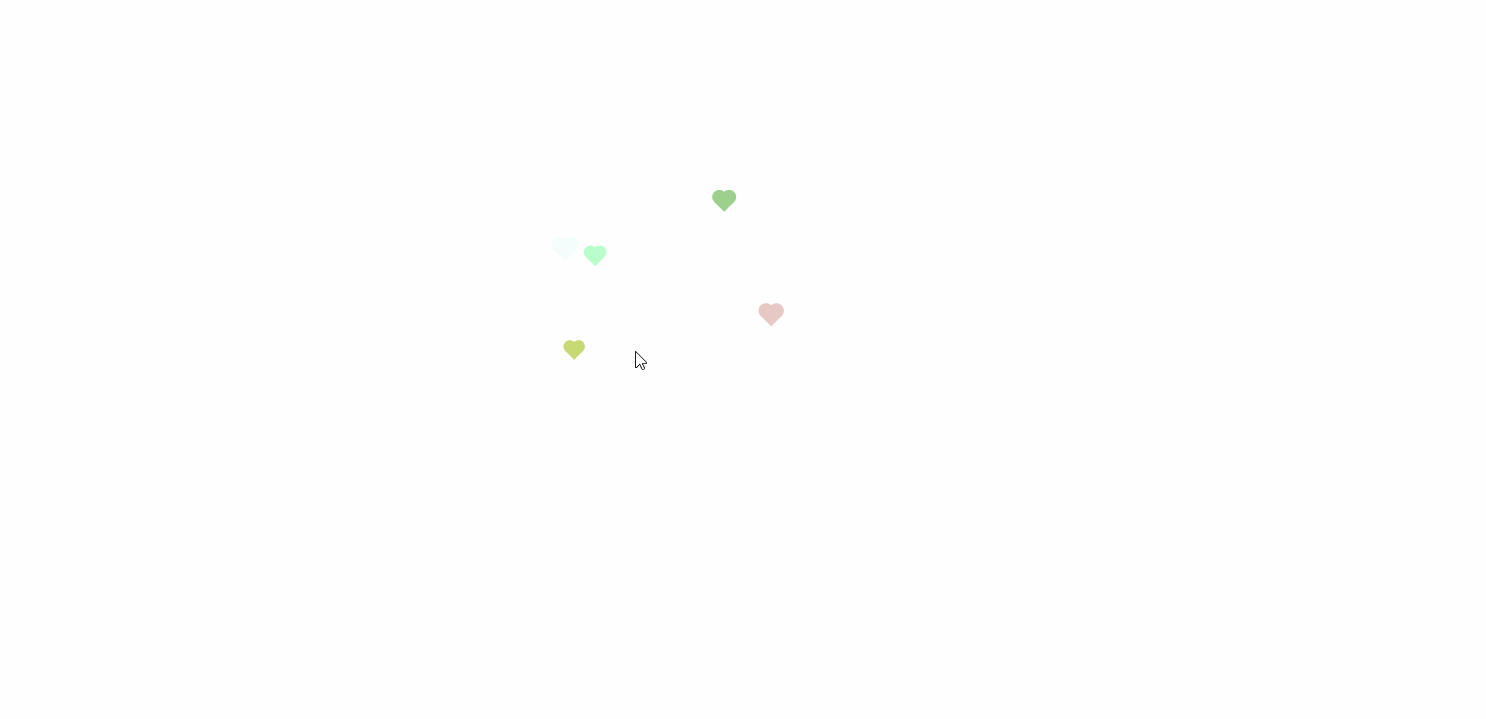
拿来就能用的网页炫酷特效代码 前言:网上收集能美化网页的代码,比如给网页加个背景,给鼠标加个特效,来来回回也收集到了一些“使用简单”,“效果爆炸” 的页面,给大家分享出来。{collapse}{collapse-item label="鼠标点击弹出爱心"}<!DOCTYPE html> <html lang="en"> <head> <meta charset="UTF-8"> <meta name="viewport" content="width=device-width, initial-scale=1.0"> <title>Document</title> </head> <body> <!-- 网页鼠标点击特效(爱心) --> <script type="text/javascript"> ! function (e, t, a) { function r() { for (var e = 0; e < s.length; e++) s[e].alpha <= 0 ? (t.body.removeChild(s[e].el), s.splice(e, 1)) : (s[ e].y--, s[e].scale += .004, s[e].alpha -= .013, s[e].el.style.cssText = "left:" + s[e].x + "px;top:" + s[e].y + "px;opacity:" + s[e].alpha + ";transform:scale(" + s[e].scale + "," + s[e] .scale + ") rotate(45deg);background:" + s[e].color + ";z-index:99999"); requestAnimationFrame(r) } function n() { var t = "function" == typeof e.onclick && e.onclick; e.onclick = function (e) { t && t(), o(e) } } function o(e) { var a = t.createElement("div"); a.className = "heart", s.push({ el: a, x: e.clientX - 5, y: e.clientY - 5, scale: 1, alpha: 1, color: c() }), t.body.appendChild(a) } function i(e) { var a = t.createElement("style"); a.type = "text/css"; try { a.appendChild(t.createTextNode(e)) } catch (t) { a.styleSheet.cssText = e } t.getElementsByTagName("head")[0].appendChild(a) } function c() { return "rgb(" + ~~(255 * Math.random()) + "," + ~~(255 * Math.random()) + "," + ~~(255 * Math .random()) + ")" } var s = []; e.requestAnimationFrame = e.requestAnimationFrame || e.webkitRequestAnimationFrame || e .mozRequestAnimationFrame || e.oRequestAnimationFrame || e.msRequestAnimationFrame || function (e) { setTimeout(e, 1e3 / 60) }, i( ".heart{width: 10px;height: 10px;position: fixed;background: #f00;transform: rotate(45deg);-webkit-transform: rotate(45deg);-moz-transform: rotate(45deg);}.heart:after,.heart:before{content: '';width: inherit;height: inherit;background: inherit;border-radius: 50%;-webkit-border-radius: 50%;-moz-border-radius: 50%;position: fixed;}.heart:after{top: -5px;}.heart:before{left: -5px;}" ), n(), r() }(window, document); </script> </body> </html>{/collapse-item}{/collapse}{dotted startColor="#ff6c6c" endColor="#1989fa"/}{collapse}{collapse-item label="鼠标点击弹出文字"}<!DOCTYPE html> <html lang="en"> <head> <meta charset="UTF-8"> <title>Document</title> </head> <body> <script> (function () { var a_idx = 0; window.onclick = function (event) { var a = new Array("❤富强❤", "❤民主❤", "❤文明❤", "❤和谐❤", "❤自由❤", "❤平等❤", "❤公正❤", "❤法治❤", "❤爱国❤", "❤敬业❤", "❤诚信❤", "❤友善❤"); var heart = document.createElement("b"); //创建b元素 heart.onselectstart = new Function('event.returnValue=false'); //防止拖动 document.body.appendChild(heart).innerHTML = a[a_idx]; //将b元素添加到页面上 a_idx = (a_idx + 1) % a.length; heart.style.cssText = "position: fixed;left:-100%;"; //给p元素设置样式 var f = 16, // 字体大小 x = event.clientX - f / 2, // 横坐标 y = event.clientY - f, // 纵坐标 c = randomColor(), // 随机颜色 a = 1, // 透明度 s = 1.2; // 放大缩小 var timer = setInterval(function () { //添加定时器 if (a <= 0) { document.body.removeChild(heart); clearInterval(timer); } else { heart.style.cssText = "font-size:16px;cursor: default;position: fixed;color:" + c + ";left:" + x + "px;top:" + y + "px;opacity:" + a + ";transform:scale(" + s + ");"; y--; a -= 0.016; s += 0.002; } }, 15) } // 随机颜色 function randomColor() { return "rgb(" + (~~(Math.random() * 255)) + "," + (~~(Math.random() * 255)) + "," + (~~(Math .random() * 255)) + ")"; } }()); </script> </body> </html>{/collapse-item}{/collapse}{dotted startColor="#ff6c6c" endColor="#1989fa"/}{collapse}{collapse-item label="鼠标小星星拖尾跟随"}<!DOCTYPE html> <html lang="en"> <head> </head> <body> <span class="js-cursor-container"></span> <script> (function fairyDustCursor() { var possibleColors = ["#D61C59", "#E7D84B", "#1B8798"] var width = window.innerWidth; var height = window.innerHeight; var cursor = { x: width / 2, y: width / 2 }; var particles = []; function init() { bindEvents(); loop(); } // Bind events that are needed function bindEvents() { document.addEventListener('mousemove', onMouseMove); window.addEventListener('resize', onWindowResize); } function onWindowResize(e) { width = window.innerWidth; height = window.innerHeight; } function onMouseMove(e) { cursor.x = e.clientX; cursor.y = e.clientY; addParticle(cursor.x, cursor.y, possibleColors[Math.floor(Math.random() * possibleColors.length)]); } function addParticle(x, y, color) { var particle = new Particle(); particle.init(x, y, color); particles.push(particle); } function updateParticles() { // Updated for (var i = 0; i < particles.length; i++) { particles[i].update(); } // Remove dead particles for (var i = particles.length - 1; i >= 0; i--) { if (particles[i].lifeSpan < 0) { particles[i].die(); particles.splice(i, 1); } } } function loop() { requestAnimationFrame(loop); updateParticles(); } /** * Particles */ function Particle() { this.character = "*"; this.lifeSpan = 120; //ms this.initialStyles = { "position": "fixed", "display": "inline-block", "top": "0px", "left": "0px", "pointerEvents": "none", "touch-action": "none", "z-index": "10000000", "fontSize": "25px", "will-change": "transform" }; // Init, and set properties this.init = function (x, y, color) { this.velocity = { x: (Math.random() < 0.5 ? -1 : 1) * (Math.random() / 2), y: 1 }; this.position = { x: x + 10, y: y + 10 }; this.initialStyles.color = color; this.element = document.createElement('span'); this.element.innerHTML = this.character; applyProperties(this.element, this.initialStyles); this.update(); document.querySelector('.js-cursor-container').appendChild(this.element); }; this.update = function () { this.position.x += this.velocity.x; this.position.y += this.velocity.y; this.lifeSpan--; this.element.style.transform = "translate3d(" + this.position.x + "px," + this.position.y + "px, 0) scale(" + (this.lifeSpan / 120) + ")"; } this.die = function () { this.element.parentNode.removeChild(this.element); } } /** * Utils */ // Applies css `properties` to an element. function applyProperties(target, properties) { for (var key in properties) { target.style[key] = properties[key]; } } if (!('ontouchstart' in window || navigator.msMaxTouchPoints)) init(); })(); </script> </body> </html>{/collapse-item}{/collapse}{dotted startColor="#ff6c6c" endColor="#1989fa"/}{collapse}{collapse-item label="鼠标笑脸跟随+仙女棒+泡泡+雪花+点击烟花效果(自由组合)"}<!DOCTYPE html> <html lang="en"> <head> <meta charset="UTF-8"> <meta name="viewport" content="width=device-width, initial-scale=1.0"> <title>Document</title> </head> <body> <!--光标特效仙女棒--> <script src="https://blog-static.cnblogs.com/files/axqa/fairyDustCursor.js"></script> <!--光标之泡泡--> <script src="https://blog-static.cnblogs.com/files/axqa/bubbleCursor.js"></script> <!--笑脸--> <script src="https://blog-static.cnblogs.com/files/axqa/emojiCursor.js"></script> <!--雪花--> <script src="https://blog-static.cnblogs.com/files/axqa/snowflakeCursor.js"></script> <!-- 点击后出现烟花效果 --> <script src="https://blog-static.cnblogs.com/files/axqa/cursor-effects.js"></script> </body> </html>{/collapse-item}{/collapse}
-
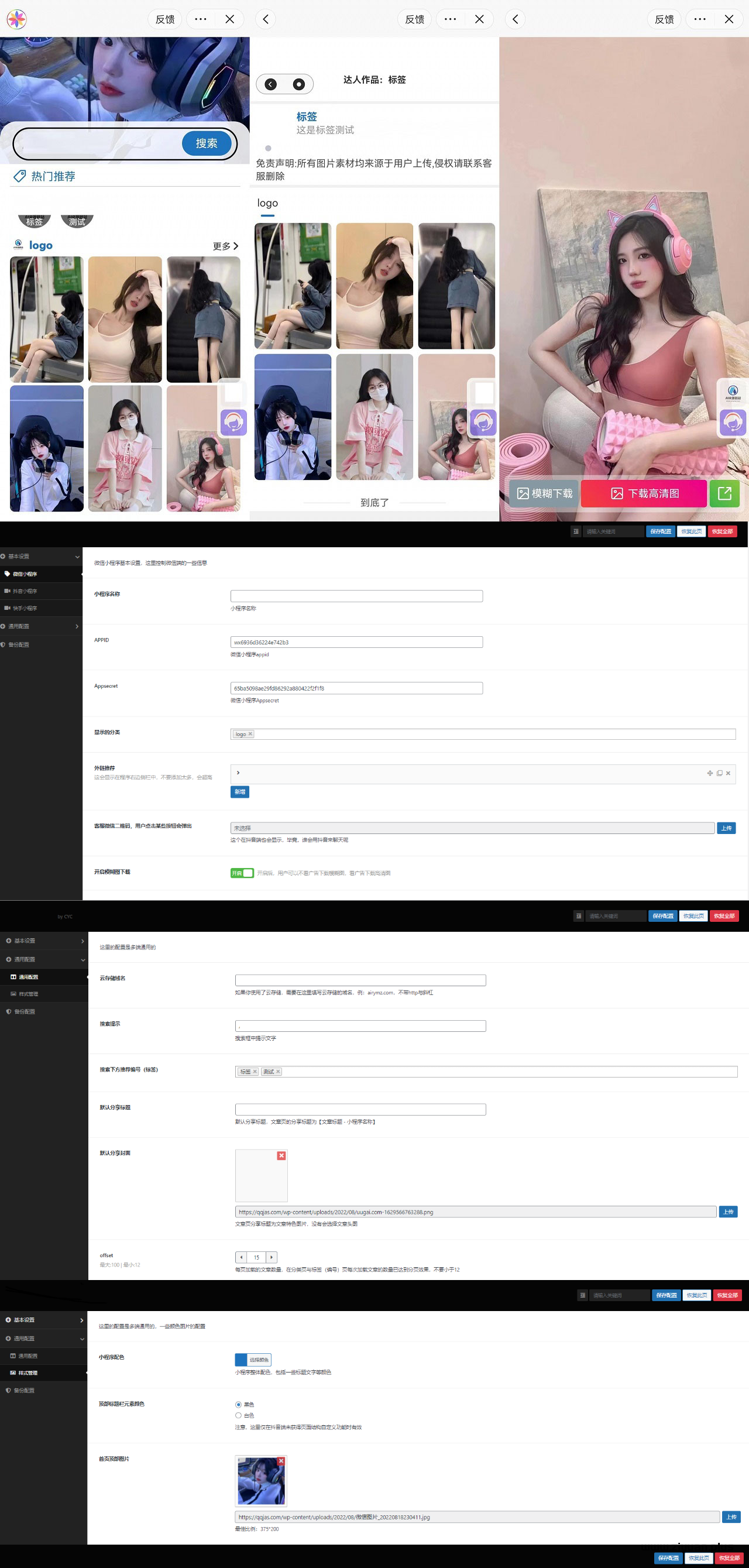
微信抖音快手三合一壁纸小程序源码 后端管理设置功能丰富 三合一壁纸小程序源码 这是一款支持快手端微信端抖音三端的一个壁纸类型的小程序源码。一个后台同时管理三端,内有丰富的后端设置,安装也是特别的简单(压缩包里面也有文本安装教程),另外支持静态壁纸显示,动态壁纸显示或者头像表情包等等前端自适应识别所属内容然后根据内容来自适应展示另外后端可以开关模糊下载,所以支持用户模糊下载和激励高清原图下载另外支持编号取图也就是标签取图支持设置首页热门标签编号取图也是抖音非常火的一个营销方式另外可以是一张图(例如壁纸)也可以是多张图集(如多个头像、表情包)前端会根据文章内图片的数量进行不同显示一张图时,全屏显示用户下载也仅获得此图,多张图时会以轮播形式展示,用户点击下载会一次保存所有图片源码地址隐藏内容,请前往内页查看详情
-
-
-
-